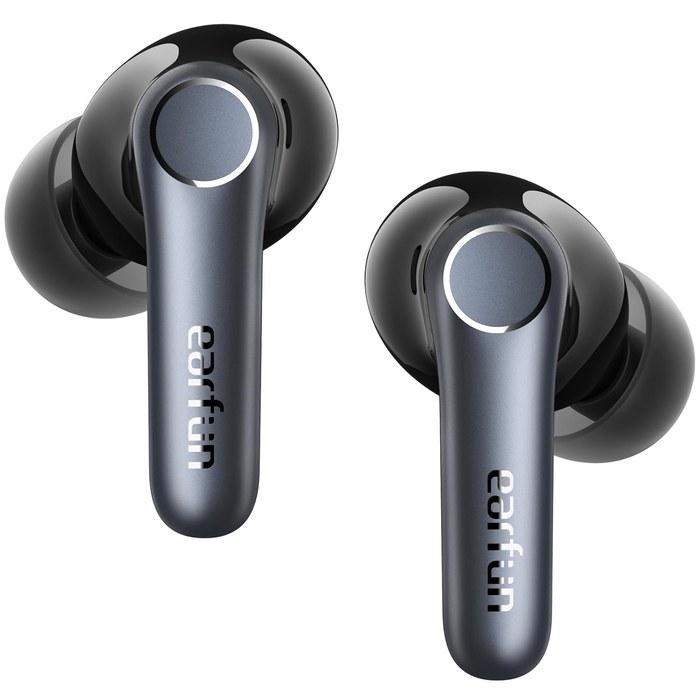
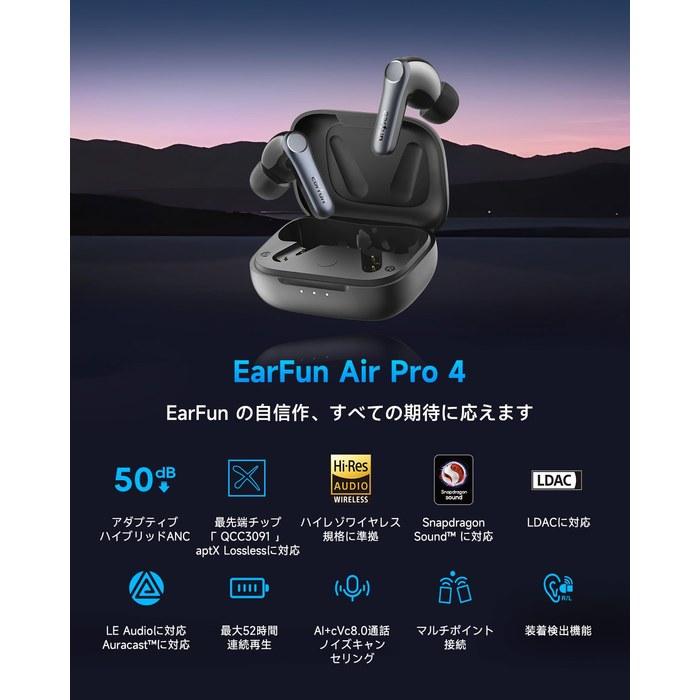
・🏅【Advanced Technology Solutions & aptX Lossless Audio Transmission】The EarFun Air Pro 4 has received the “VGP Gold Award” for two consecutive years, 2024 and 2025, and also won the “Cost Performance Grand Prize” in 2025. Equipped with Qualcomm’s advanced chip, the “QCC3091,” it supports the latest Bluetooth standard (v5.4) and the “Snapdragon Sound” audio solution, achieving both high-quality sound and ultra-low latency. It supports “aptX Lossless,” allowing you to enjoy high-quality wireless music playback up to 96kHz/24bit (approximately 1.1-1.2Mbps) in a stable wireless communication environment. It also supports LDAC, transmitting an overwhelming amount of information approximately three times that of CDs (44.1kHz/16bit) at a bitrate of up to 990kbps, preserving the details of the music and allowing you to hear the true original sound. ※ Note: LDAC, aptX Lossless, and LE Audio cannot be used with iOS devices. Compatible devices are required. If you want to use codecs with other devices from the iOS app, please contact our support.
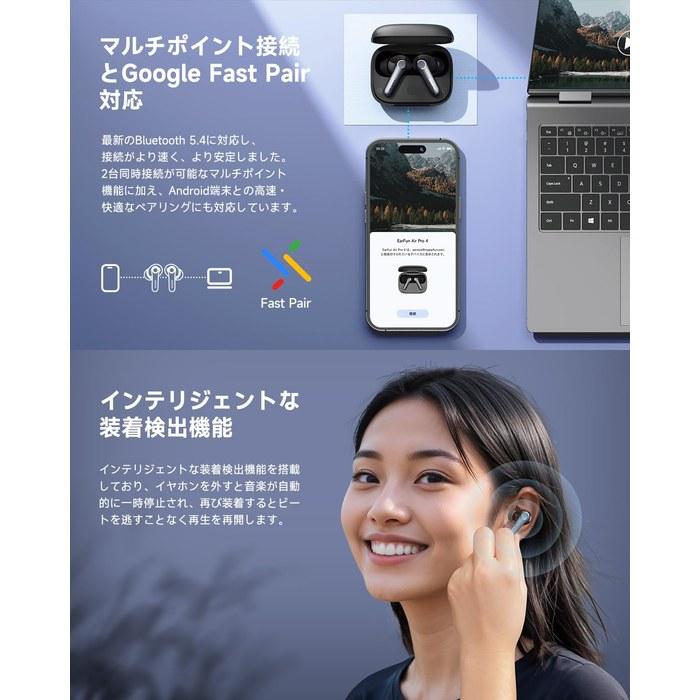
・🏅【Enhanced Noise Cancelling / Intelligent Wear Detection】The unique noise cancelling technology has evolved to “QuietSmart 3.0.” It newly incorporates “Adaptive Noise Cancelling Technology,” which varies the noise reduction level according to the surrounding noise level, achieving a maximum noise reduction of 50dB. It is also equipped with intelligent wear detection, automatically pausing music when the earbuds are removed and resuming playback immediately when they are put back in. ※ Regarding wear detection: Misdetection may occur and playback may stop or ANC may turn off if the earbuds move due to conversation, eating, or neck movements. Please try re-inserting, replacing the ear tips with the optimal size, or turning off detection in the app.
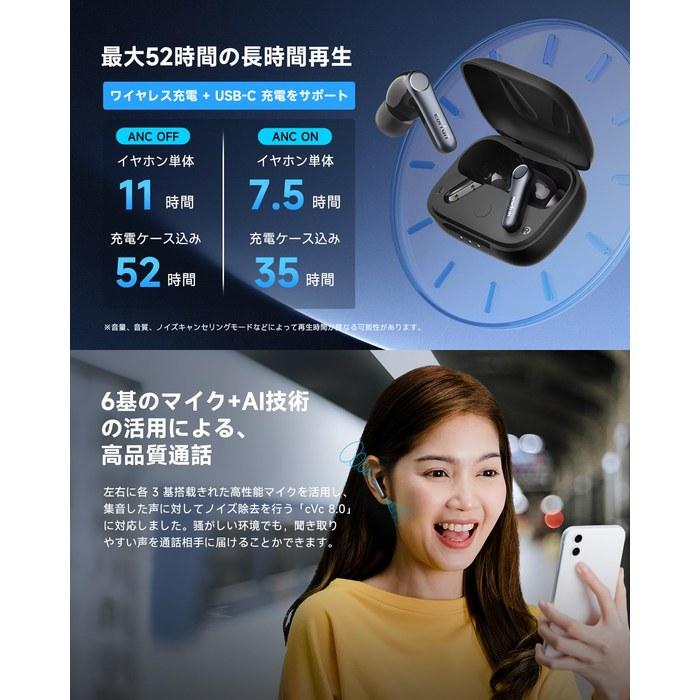
・🏅【High-Quality Calls with 6 Microphones + AI Technology / Low-Latency Game Mode】Utilizing high-performance microphones, three on each side, it supports “cVc 8.0,” which removes noise from the collected voice. This allows you to deliver clear voice calls even in noisy environments. When you turn on game mode in the “EarFun Audio” app, wireless audio latency is reduced by up to 50ms (0.05 seconds), eliminating concerns about audio and video synchronization issues.
・🏅【Up to 52 Hours of Long-Lasting Playback / IPX5 Waterproof Performance】Based on the extremely low power consumption of Qualcomm’s latest S3 3rd generation high-performance QCC3091 Bluetooth chip, the Air Pro 4 can be used for up to 11 hours on a full charge and up to 52 hours with the charging case. It supports two charging methods: wireless charging and USB-C charging, and also supports rapid charging, providing 2 hours of use with a 10-minute charge. The earbuds have IPX5 waterproof performance, so you can use them with confidence even if they get splashed with water or sweat during exercise. ※ Note: The charging case is not waterproof, so please keep the charging case dry.
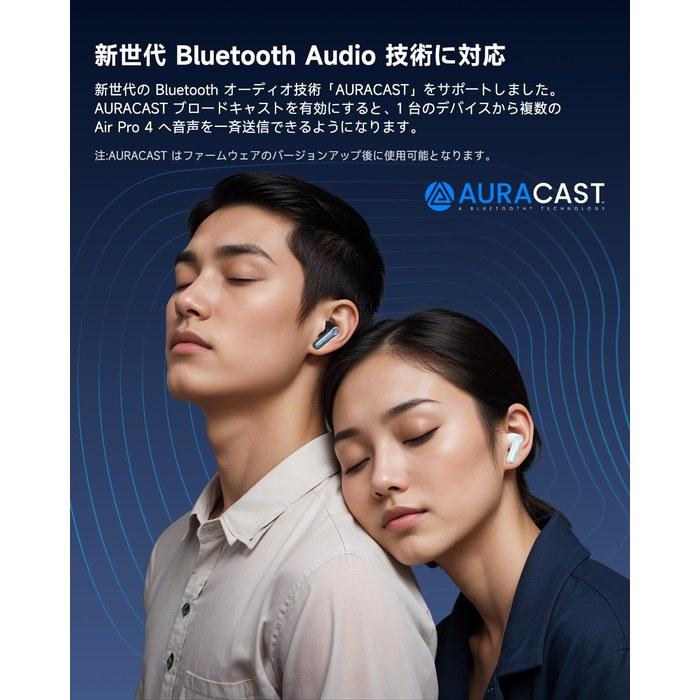
・🏅【New Technology LE Audio and Auracast Support】Supports the next-generation Bluetooth standard LE Audio and the AURACAST wireless shared listening technology, opening up new ways to connect with the world. Introducing AURACAST broadcast allows you to join as easily as searching for a Wi-Fi network, connecting your device and receiving broadcasts (such as boarding broadcasts or waiting broadcasts), so you don’t have to worry about missing broadcasts. 【Note】 Using LE Audio requires a LE Audio-compatible smartphone and activation in the EarFun app. Auracast reception requires a transmitting device nearby. If your smartphone does not have a screen to search for (scan) Auracast broadcasts, please connect from the “LE Audio” page of the EarFun app.
・🏅【Multipoint Connection and Google Fast Pair Support】Supports the latest Bluetooth 5.4, making connections faster and more stable. In addition to multipoint functionality, which allows you to connect to two devices simultaneously, it also supports Google Fast Pair for quick and easy pairing with Android devices.
・Note: ① Regularly wipe the earbud and charging case charging terminals with a cotton swab containing alcohol to prevent charging problems caused by sweat and dirt. ② The earbuds and charging case contain precision electronic components, so be careful not to drop or shock them. ③ The charging case is not waterproof, so do not get it wet or place it in a humid location. ④ Use the included ear tips. If you use separately purchased ear tips, make sure they fit properly and the earbuds do not rattle when placed in the charging case. Alternatively, remove the ear tips before charging and place them in the charging case for charging.
・⑤ To use aptX Lossless and LDAC codecs, you need devices that support those codecs. You also need to install the EarFun Audio app on your Android smartphone and use the app to enable LDAC (aptX Lossless is enabled by default). LDAC and aptX Lossless cannot be used on iOS systems such as iPhone and iPad. ⑥ Due to technical limitations, LDAC is prone to signal congestion, so use it within 1 meter of the device and remove obstacles. You can also change the LDAC bitrate to 330kbps in the developer options of the device. If congestion is still severe, use other codecs such as aptX.
・⑦ Keep the earbuds clean and dry and regularly clean away sweat, dirt, and other foreign matter. ⑧ When connecting to multiple devices, the earbud volume may be synchronized with one of the connected devices. To avoid discomfort when switching, be careful not to have a large volume difference between devices. ⑨ When using the earbuds, avoid crowded environments or environments with strong radio interference, such as near Wi-Fi routers or microwave ovens. ⑩ If the earbuds malfunction, update the firmware, reset the earbuds, delete old Bluetooth pairing records, and reconnect.
【Voltage Compatibility】
When using electrical appliances, please note that they are designed for Japanese voltage specifications (90-110V), so if you use them with a different voltage, it may cause a malfunction.
【Plug Type】
Our products use Japanese plug types (A or B type).
Please use a conversion adapter if necessary.
【Important Note on Transformers and Adapters】
A transformer adjusts voltage to match your device's requirements.
A conversion adapter only changes the plug shape and does not adjust voltage.
Using only a conversion adapter without a transformer may result in damage to the product.
【Liability】
We are not responsible for malfunctions or damages caused by improper use, such as operating the product without a transformer.




 Reembolso por não entrega