Product Introduction
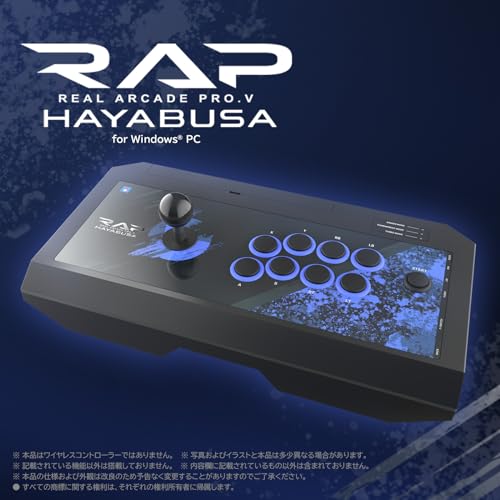
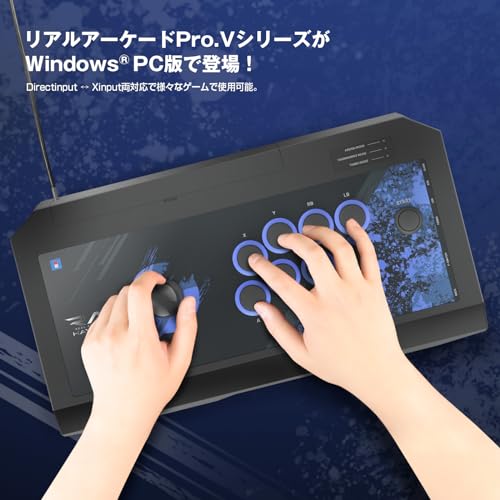
■ The Real Arcade Pro.V series is now available for Windows® PC! Supports both Directinput and Xinput, making it compatible with a wide range of games.
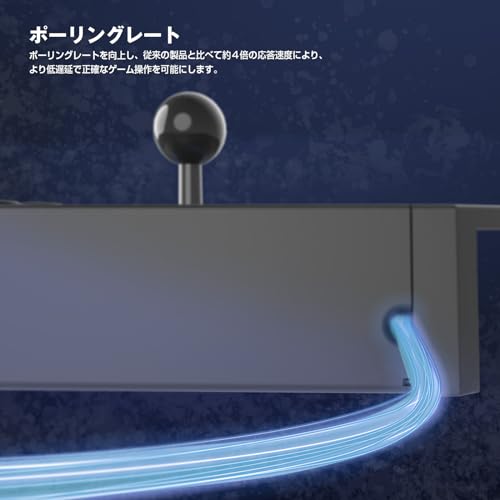
■ Polling Rate
The improved polling rate delivers approximately four times the response time of previous models, enabling more accurate gameplay with lower latency.
■ Rapid Fire Function
Continuous fire (continuous input) occurs only while the button is pressed.
■ Rapid Fire Hold Function
Continuous fire (continuous input) continues even after you release your finger from the button.
●The speed can be adjusted to 5, 10, or 20 times per second.
●Rapid Fire/Rapid Fire Hold Function - Configurable Buttons
Xinput: Stick Controls (Up/Down/Left/Right) / A Button / B Button / X Button / Y Button / LB Button / RB Button / LT Button / RT Button
DirectInput: Stick Controls (Up/Down/Left/Right) / Button 1 / Button 2 / Button 3 / Button 4 / Button 5 / Button 6 / Button 7 / Button 8
■By switching the Assignment (Button Assignment) switch, you can assign other button functions to specific buttons or disable them.
Buttons that can be assigned other button functions
XInput: A Button / B Button / X Button / Y Button / LB Button / RB Button / LT Button / RT Button / START Button
DirectInput: Button 1 / Button 2 / Button 3 / Button 4 / Button 5 / Button 6 / Button 7 / Button 8 / Button 10
Assignable Button Functions
XInput: A Button / B Button / X Button / Y Button / LB Button / RB Button / LT Button / RT Button / BACK Button / LSB Button / RSB Button / NC (No assignment)
DirectInput: Button 1 / Button 2 / Button 3 / Button 4 / Button 5 / Button 6 / Button 7 / Button 8 / Button 9 / Button 11 / Button 12 / NC (No assignment)
■Tournament Mode Function
Turn on the Tournament Mode switch to disable the START button function.
* The START button function can be assigned to the TURBO button.
■ Sub-panel Located on the Side
Sub-buttons for various settings are located on the side to prevent accidental operation during gameplay.
■ HAYABUSA Unit for Improved Operation
The stick features a unique HORI-developed point-contact cam and housing, and the short stroke and rounded corners of the buttons allow for quick input.
■ Stick Lever Switching Function
By switching the Lever Function Switch, you can assign the function of the D-pad, left stick, or right stick to the stick lever.
Safety Warning
The specifications and appearance of this product may be changed without notice for product improvement purposes.
Compatible with both DirectInput and XInput, allowing for use with a variety of games.
With a response speed approximately four times faster than previous products, it enables more accurate gameplay with less latency.
Equipped with a rapid fire/rapid fire hold function. The speed can be adjusted to 5, 10, or 20 times per second.
Activating the Tournament Mode switch disables the START button.
Connection method: USB Type-A connection Compatible models: PC (Windows 11/10)



 Reembolso por não entrega


![[Operação PS5 confirmada] Real Arcade Pro.V HAYABUSA com terminal de fone de ouvido para PlayStation4PlayStation3PC [produto licenciado pela SONY]](https://img.joomcdn.net/ee05570d6947cfdc6dc3de8e64d98fd5c858fe24_100_100.jpeg)
![Operação Real Arcade HAYABUSA com terminal de fone de ouvido para licenciado [PS5 confirmado] Pro.V PlayStation®4/PlayStation®3/PC [produto SONY]](https://img.joomcdn.net/6edbc0767498139db57c958ef458c9b509b7aac1_100_100.jpeg)


![Fighting Stick licenciado para PC com PS5 e [produto SONY] PlayStation®5, PlayStation®4, [PS4 compatível] (Silencioso)](https://img.joomcdn.net/d60051496f84bdecf407780cd568a33d35f9fe3c_100_100.jpeg)
![Fighting Stick licenciado para PC com PS5 e [produto SONY] PlayStation®5, PlayStation®4, [PS4 compatível] (Versão normal)](https://img.joomcdn.net/106c41e3bca45bc6becd1e63e40750a8f6fc7826_100_100.jpeg)
![Controlador Arcade Mecânico NOLVA para PC Windows All-Button [Apenas para o Japão]](https://img.joomcdn.net/67dd4a46524c3becc51396d52476740b90eb75e9_100_100.jpeg)